Grain
Menu

Photographic memory for your AI agents

One library of all your photos and footage, open to Claude, ChatGPT, or your own agent. Turn a brief into selects, captions, and paper edits for you to review.

Claude + Grain
You ask

“Look through my street photographs and help me find a story. Rain, market stalls, umbrellas, lit signs.”

  • A covered street market in the rain, with people walking under umbrellas beneath hanging signs
  • A narrow alley at night, the wet pavement catching light from signs written in Japanese
  • The entrance to Gion-shijo Station at night, a figure stepping through the light
Then

“Make it a walk from the market to the station. Find a quieter ending.”

Keep it

“Save the ones I choose to a collection called After the rain.”
Try a conversation like this

How it works

  1. Connect

    Link Grain to ChatGPT, Claude or your own agent. It takes a couple of minutes, and your agent sees every drive as one library.

  2. Ask

    Describe the job: selects for a client, B-roll for a scene, a deck from last year’s shoots. Your agent searches your photos and footage and reads the transcripts.

  3. Work together

    It gathers its picks into a collection for you to review. Keep what works, ask for more, and make the final calls.

The jobs you already give your agent, with your whole library in view.

Agents usually work from whatever you paste or upload. Connected to Grain, they work from your actual photos, footage, and transcripts. You keep the creative calls.

  • Paper edit

    “Read my interviews with the guide and draft a two-minute paper edit.”

    Your agent reads word-timed transcripts straight from your library. No exporting and pasting.
  • Logging

    “Log yesterday’s cards. What’s interview, what’s B-roll, what’s usable?”

    It reads each recording’s transcript and writes timed notes you can review beside the dialogue in Clips.
  • Finding a shot

    “Find the wide harbor shot at dawn from the 2023 shoot.”

    It searches every drive you’ve indexed by description and date, in one query.
  • B-roll

    “Find B-roll for these three lines of the script.”

    It searches your footage by description and returns recordings with previews.
  • Soundbites

    “Find the three strongest lines for a 30-second teaser.”

    It returns passages with source and timings. You add the ones you like as clips.
  • Pitch selects

    “Pull twelve frames for a hospitality pitch. Warm light, real interiors.”

    It searches by description, compares the previews you allow, and saves picks to a collection.
  • Keywords and captions

    “Write keywords and captions for this collection.”

    It writes them to your Grain catalog for the whole set, instead of one uploaded image at a time.
  • Archive story

    “Look through my photographs from Japan and help me find a story.”

    It works across years of shoots at once, with the dates, places, and cameras your files record.
Try these conversations

Private by design.

Your library lives on your Mac. Your agent sees only what you allow.

  • Your photos and footage are indexed on your Mac. Nothing is uploaded.
  • Originals stay where they are. Catalog edits never touch your files or sidecars.
  • You choose whether your agent sees previews and originals, and you can turn its access off any time.
  • Only the results and previews you allow reach your agent’s provider.
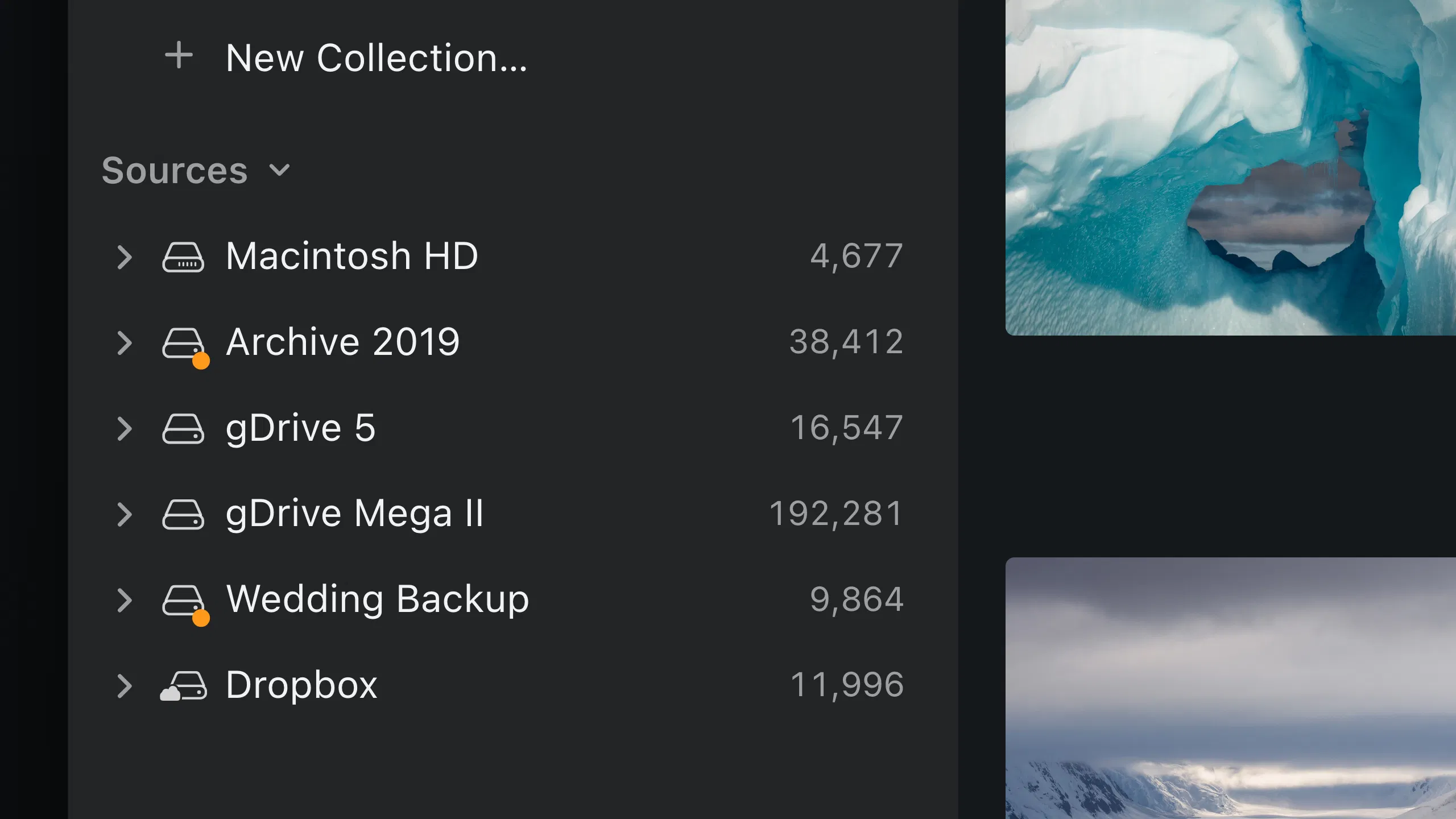
Grain Photo's Sources list on a Mac: Macintosh HD, connected and disconnected drives, and Dropbox, each with its count.
Your library is cataloged on your Mac, across every drive. Illustrated UI.

Connect your agent.

Grain works with ChatGPT, Claude Desktop and your own agents on the same Mac. Pick yours to get set up.

Questions

Can ChatGPT search the photos on my Mac?

Yes. With Grain connected to ChatGPT on your Mac, you can ask for images and footage by description, review results, and save approved selections as collections. Grain searches the folders you’ve indexed, so you don’t attach files to a chat. Set up ChatGPT

Can I build a private AI search engine for my photo library?

Grain is one. It indexes and searches your library on your Mac, so you don’t need to build a search backend or upload your archive. Search in Grain, or connect an agent. Search photos by description

Can my agent search photos and videos on external drives?

Yes. Add the folders to Grain and your agent can search them by description and metadata. Your originals stay where they are. Search across external drives

Does Grain have an MCP server for media search?

Yes. The Mac app includes a native MCP server and a CLI for searching the catalog, reading transcripts and previews, and working with collections and metadata. Connect Claude Desktop · Read the setup reference

Put your archive to work.

Download Grain
Save for my Mac

Send the setup link to your Mac.