
Every word, every take, ready for the edit
One library for all your drives and footage, transcribed on your Mac. Turn raw media into clips and organized source material for your next edit.
Clips Beta
From raw footage to organized source material, on your Mac.
Automatic transcription
Every recording is transcribed on your Mac, so you can read and search what was said.
Visual descriptions
Your agent describes what’s on screen, timed beside the dialogue.
Clipping
Keep the takes you want as clips. A clip marks a range on the original recording, so nothing is copied.
Every shoot, every drive, one catalog.
Grain catalogs your footage where it already lives, so years of shoots become one library you can pull from.
- Card dumps, drives, NAS, and Dropbox in one library. No import, no copies.
- Every recording on your drives is transcribed in the background, on your Mac.
- Unplug a drive and its footage stays in your library. Reconnect it to open the original.
- Stills and footage from the same shoot, side by side.
- Your MacInternal and expansion drives
- External drivesHard drives, SSDs, and cards
- Network storageNAS and shared drives
- DropboxOther clouds coming soon
One libraryOne library, on your Mac
Give your editing agent the full picture.
Pick your takes in Grain, then let your agent work from the same library. It reads every transcript, finds more takes and the B-roll to go with them, across every drive, and gathers them for your edit. You make the creative calls.
Connect Claude, ChatGPT, or your own agentComing soon
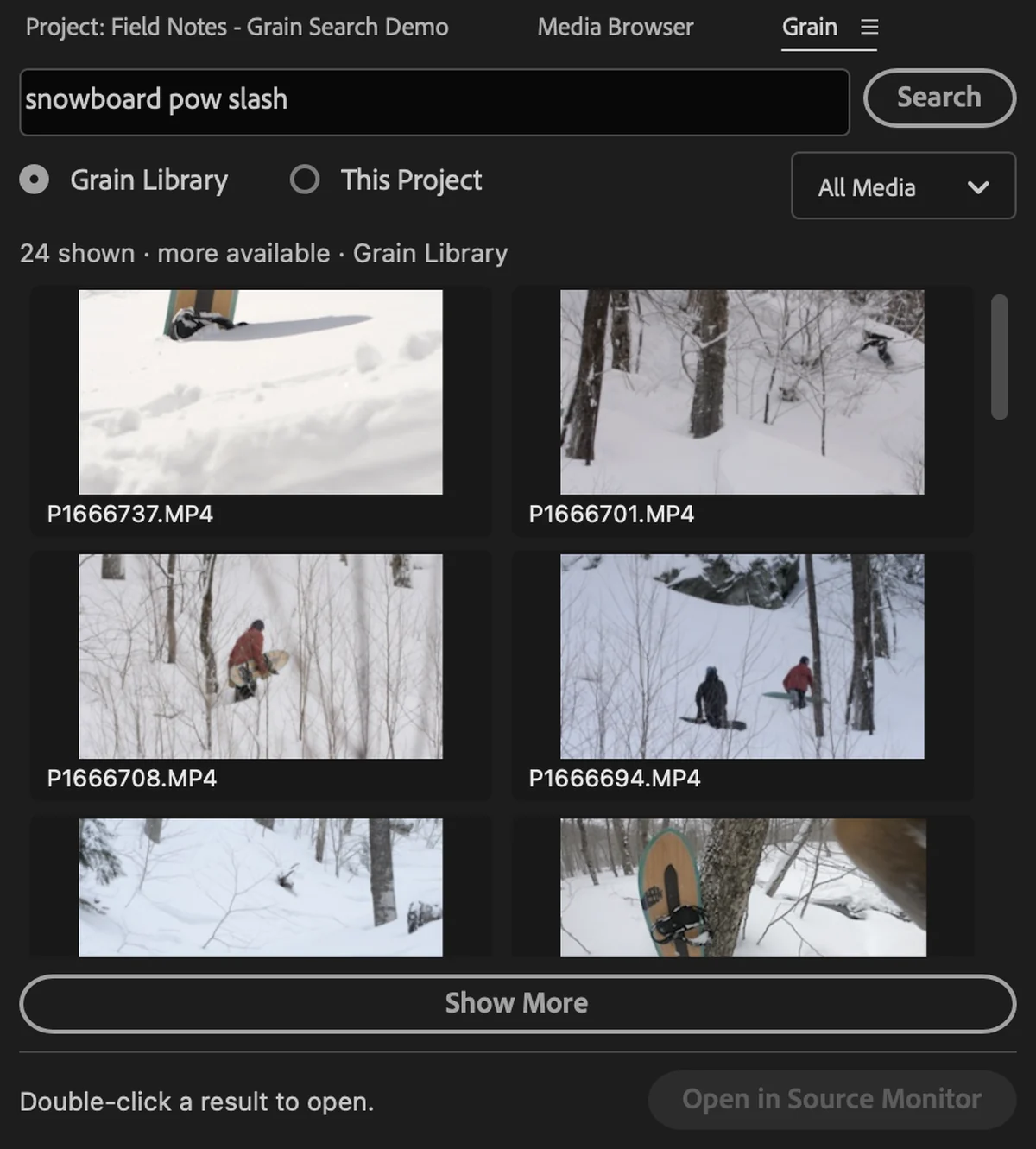
Your whole library, docked in Premiere.
A Grain panel for Premiere Pro is on the way: find footage from any shoot without leaving your timeline.
- Every drive’s footage, searchable from inside Premiere.
- Bring a shot straight into your project, right where it lives.
- No duplicates in your bins, however often you reach for the same clip.
Learn more
Turn your raw footage into source material.
Save for my Mac
Send the setup link to your Mac.