
Grain vs. Adobe Bridge
You can browse the folder, but you still cannot find the picture. If that is why you are looking for an Adobe Bridge alternative, Grain offers a different starting point: describe what the image shows, rather than relying on a filename or a keyword someone remembered to add.
Add photo, people and video search to your existing folders, then put the results to work with your editor or agents.
Why Grain fits
You want to find photos by subject or person, search footage and dialogue, and gather useful results across your Mac archive.
Specific Adobe Bridge workflows to compare
Check Bridge’s Creative Cloud Libraries connection and direct Adobe Stock publishing if those are required handoffs in your workflow.
Photos, people and video. One searchable library.
- Find people in your photos. Name a face once, review the matches, then choose a person from search to browse their photos. Beta.
- Search footage and dialogue. Find videos by description. Every recording is transcribed on your Mac, so you can search what was said and jump to the moment. Beta.
- Find duplicates. Use duplicate detection to identify repeated files in your library.
- Put the results to work. Gather selections in collections, open originals in your editor, or connect compatible agents through Grain’s MCP server and CLI.
The differences that matter
People and Clips are in beta in Grain Photo 1.3.
| Your workflow | Grain Photo for Mac | Adobe Bridge |
|---|---|---|
| Starting point | Find photos and footage by description, without tagging first. | Folders, previews, file information and metadata. [1] |
| Find and organize | Visual search, duplicate detection, filters and collections for project selects. | Metadata search, filters, collections, keywords, labels and ratings. [1] |
| Creative workflow | Use results with your editor or agents through MCP and CLI. | Creative Cloud Libraries integration and Adobe Stock publishing. [1] |
| Cost | $49 once. Seven-day free trial. | Bridge is offered as a free download. [1] |
Search for the picture, not just its metadata
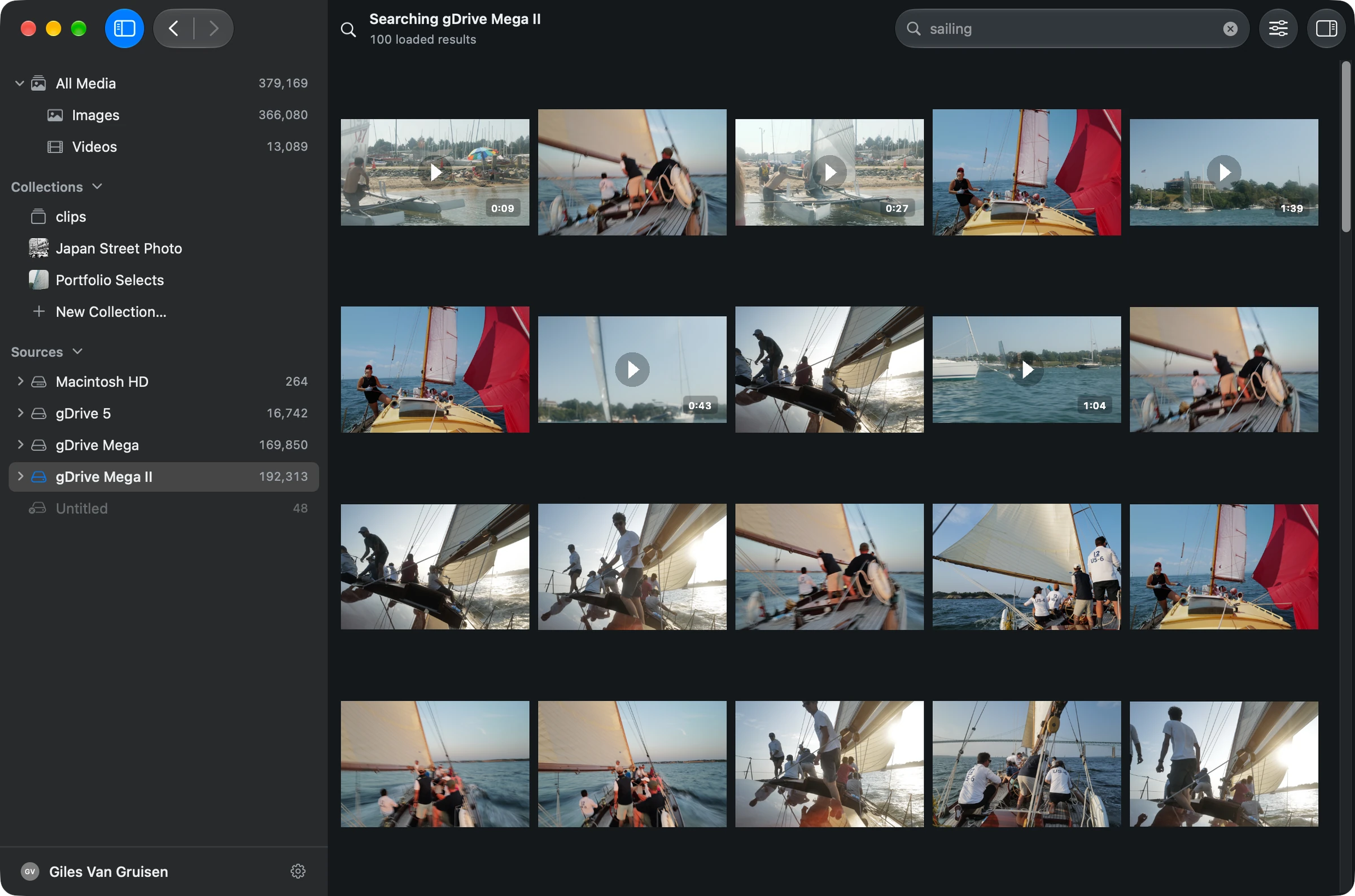
A filename like DSC_4821 does not tell you there is a sailboat in fog. If that description was never added as a keyword, a metadata search has little to work with. Grain analyzes visual content so you can begin with the subject or scene.
Use a description for what is in the image, then a filter for recorded details such as date or camera. Search a selected folder or broaden the search across indexed sources. You can preview a result and reveal its original in Finder.
Keep the parts of Bridge that work for you
Adobe documents Bridge’s metadata editing, organization and bulk workflows. If those are central to your process, Grain can be an additional way to find files rather than a reason to rebuild that process.
The comparison is about retrieval, not a claim that Grain replaces every Bridge feature. Grain does not develop RAW files or reproduce the Adobe publishing ecosystem. Test any metadata handoff you depend on before changing an established workflow. [2]
Try it on a folder you know
- Open a folder of originals that you already browse in Bridge.
- Let Grain analyze it, then search for a visual detail missing from the filenames and keywords.
- Reveal a result in Finder and continue with your existing editor.
See the walkthrough: get started, search by description, or search an external drive.
Before you choose
Can Grain and Bridge use the same folders?
Grain scans the media where it lives, so you can evaluate it against an existing folder. When multiple apps edit metadata, test the fields and sidecar behavior you depend on before making broad changes.
Is Grain replacing metadata search with AI?
No. Visual descriptions and recorded metadata answer different questions. Grain combines description search with filters; dates, cameras, ratings and other available fields remain useful.
Put your archive to work.
Find the people, photos and footage for your next project. Bring the results into your editing and agent workflows.
7-day trial · Apple silicon · macOS 13 or later
Built-in search runs on your Mac. Optional connections to external AI assistants have their own data handling.
Sources & scope
Written by Grain. Competitor details checked against official documentation on . This is a workflow comparison, not an independent review or a speed or accuracy benchmark. Features and plans can change.
People and Clips are in beta in Grain Photo for Mac. Automatic transcription runs on macOS 26; the rest of Grain runs on macOS 13 or later.