
Grain vs. Excire Foto
You remember the picture, but not its filename. Grain and Excire Foto both offer local AI to help you find it without tagging everything first. Grain also finds people, and both products offer duplicate detection. Compare how they help you organize your library and put photos and footage to work.
Grain brings photo, people and video search into one Mac library, with MCP and CLI access for your agents and creative workflows.
Why Grain fits
You want to find photos, people and video passages across your drives, organize selections, and use them with your editor or AI assistant.
Specific Excire Foto workflows to compare
Check Excire’s age-group and facial-expression filters, automatic keyword generation and Smart selection if those specific controls are part of your workflow.
Photos, people and video. One searchable library.
- Find people in your photos. Name a face once, review the matches, then choose a person from search to browse their photos. Beta.
- Search footage and dialogue. Find videos by description. Every recording is transcribed on your Mac, so you can search what was said and jump to the moment. Beta.
- Find duplicates. Use duplicate detection to identify repeated files in your library.
- Put the results to work. Gather selections in collections, open originals in your editor, or connect compatible agents through Grain’s MCP server and CLI.
The differences that matter
People and Clips are in beta in Grain Photo 1.3.
| Your workflow | Grain Photo for Mac | Excire Foto |
|---|---|---|
| Find by visual content | Find untagged photos and videos by subject, scene or description. | Text-based image search and face, scene and visible-text search tools. [1] |
| Keep search local | Private, on-device analysis and search. No media uploads. | Local processing; cloud upload is not required. [1] |
| Organize and select | Find duplicates; organize selects with collections, ratings, tags and filters. | AI keywording, duplicate tools and assisted culling. [1] |
| Buy without a subscription | $49 once. Seven-day free trial. | One-time purchase. [1] |
Find the shot. Keep your workflow.
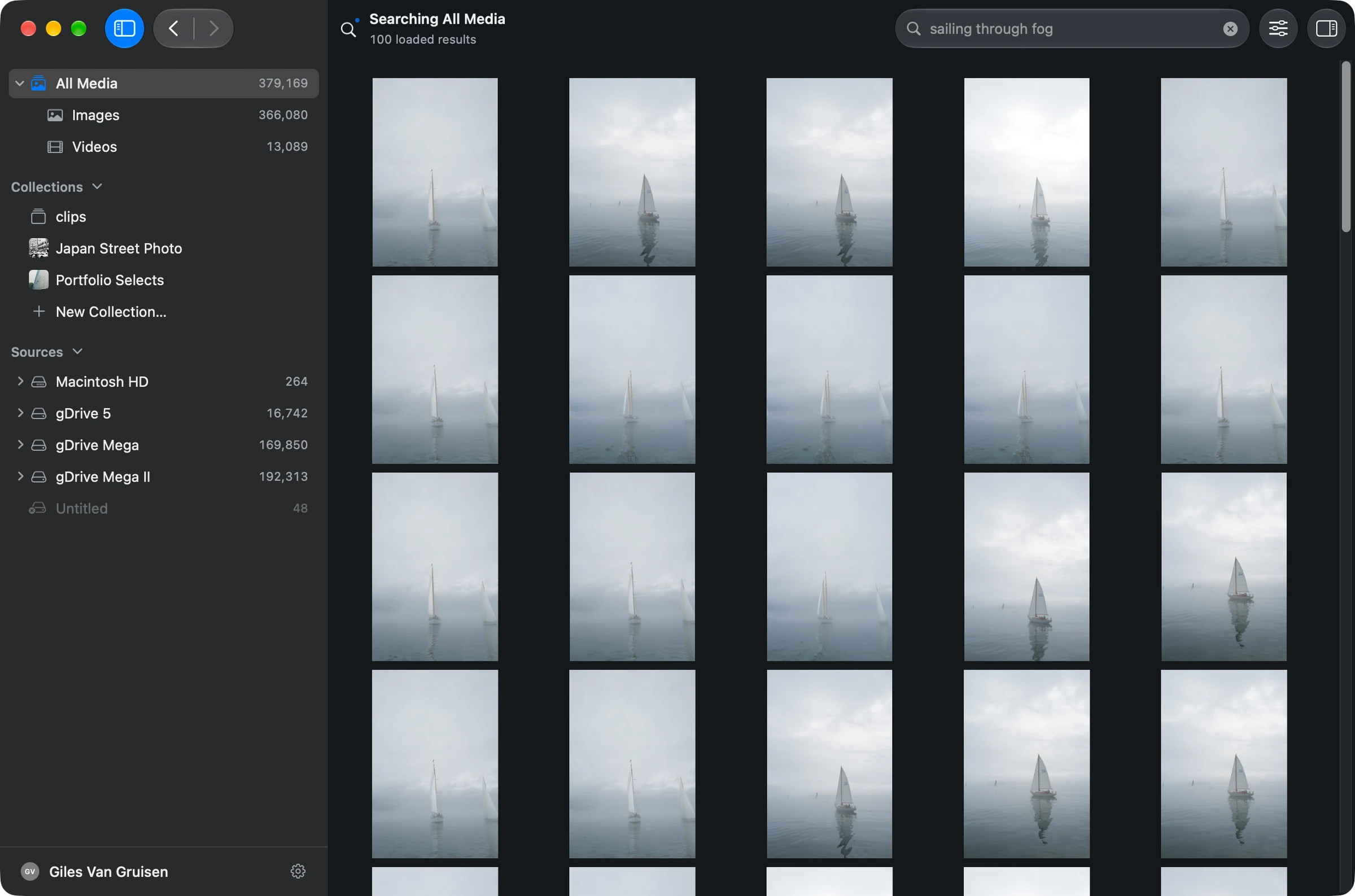
A useful search should get you back to the picture, not send you into a new filing project. Open a folder in Grain, let it scan and analyze the media, then describe a subject, scene or detail. Search one source or use All Media across indexed sources.
Narrow results with recorded details such as date or camera, preview a result, and reveal the original in Finder. Your folders stay where they are. Grain is a search and browsing companion to your editor, not a replacement for RAW development.
Choose the kind of organization you need
Grain’s People feature lets you name a face once, review its suggested matches on your Mac, and find that person’s photos from search. Both apps offer duplicate detection. For more specific requirements, compare Excire’s age-group and facial-expression filters or Smart selection controls. Evaluate the exact operation you need rather than treating a broad feature name as a difference.
Grain searches video by visual description; its development preview adds spoken-word search. Find a passage, review the surrounding dialogue and jump to that moment in the recording. Its MCP server and CLI let compatible agents use your library in a wider creative workflow. [1]
Try it on a folder you know
- Open one familiar folder and wait for its media to be analyzed.
- Try three descriptions of photos you know are there, including a detail you never added as a keyword.
- Use a date or camera filter, then reveal a result in Finder.
See the walkthrough: get started, search by description, or search an external drive.
Before you choose
Is this also an alternative to Excire Search for Lightroom?
Grain works as a separate Mac app over your media folders. Excire Search is a Lightroom Classic plugin. Choose the plugin route if working inside Lightroom’s catalog is essential; choose Grain if you want a separate search tool across your folders and drives. [2]
Do I need to add keywords first?
No. Grain analyzes visual content so you can search photos and videos that were never keyworded. Let analysis complete before testing. Results vary with the media and description, so try the searches that matter to you during the seven-day trial.
Put your archive to work.
Find the people, photos and footage for your next project. Bring the results into your editing and agent workflows.
7-day trial · Apple silicon · macOS 13 or later
Built-in search runs on your Mac. Optional connections to external AI assistants have their own data handling.
Sources & scope
Written by Grain. Competitor details checked against official documentation on . This is a workflow comparison, not an independent review or a speed or accuracy benchmark. Features and plans can change.
People and Clips are in beta in Grain Photo for Mac. Automatic transcription runs on macOS 26; the rest of Grain runs on macOS 13 or later.