
Grain vs. digiKam
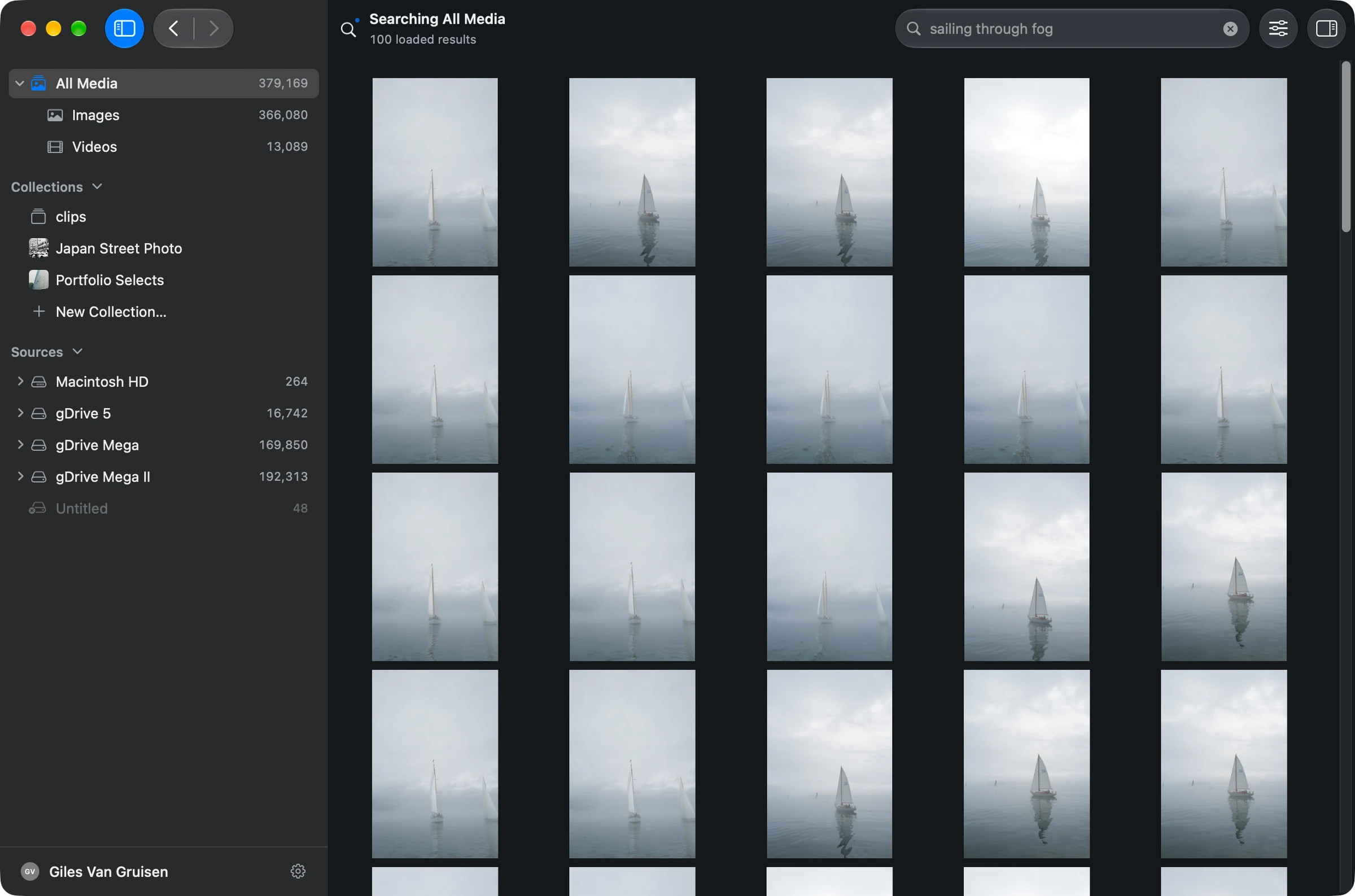
You have thousands of photos, an existing folder structure and no wish to upload the whole collection. digiKam is an obvious option to consider. Grain is another route if what you most want is to describe a picture and find it on your Mac.
Photo, people and video search in one Mac library, connected to your creative tools and agents.
Why Grain fits
You want to search photos, find people and locate spoken video passages, then use the results with your editor or agents.
Specific digiKam workflows to compare
Check digiKam if running on Linux, modifying open-source software or using its batch-processing queue is a firm requirement.
Photos, people and video. One searchable library.
- Find people in your photos. Name a face once, review the matches, then choose a person from search to browse their photos. Beta.
- Search footage and dialogue. Find videos by description. Every recording is transcribed on your Mac, so you can search what was said and jump to the moment. Beta.
- Find duplicates. Use duplicate detection to identify repeated files in your library.
- Put the results to work. Gather selections in collections, open originals in your editor, or connect compatible agents through Grain’s MCP server and CLI.
The differences that matter
People and Clips are in beta in Grain Photo 1.3.
| Your workflow | Grain Photo for Mac | digiKam |
|---|---|---|
| Software model | $49 once. Seven-day free trial. | Free, open-source photo-management software. [1] |
| Platforms | Native Apple silicon app. macOS 13 or later. | Downloads for Linux, Windows and macOS. [2] |
| Work with folders | Search folders and drives together, without copying your originals. | Collections can use local, removable and network storage. [1] |
| AI and organization | Find untagged photos and footage, detect duplicates and organize selects. | Local AI includes faces, auto-tags and quality analysis. [1] |
Judge the workflow on your own photographs
A long feature list does not tell you how you will find the image you need next Tuesday. In Grain, start with a folder you know, let its media be analyzed, then search for a remembered subject or scene. Refine with metadata filters when you remember the camera or date.
You can try that without converting your folder structure. Grain reads media in place and helps you return to the original file. It is not a RAW editor, and it is not a replacement for a backup.
digiKam has AI too
digiKam offers local AI for tasks such as face recognition and automatic tagging. Its project has also described a natural-language feature that translates questions into advanced search criteria.
That announcement labels the feature as development work intended for 9.2.0. Check the version you are evaluating. The useful test is whether a tool finds the pictures you care about, not whether its feature list contains “AI.” [3]
Try it on a folder you know
- Use a representative folder with both easy and difficult pictures to find.
- Wait for analysis, then try descriptions you did not put into filenames or tags.
- Compare the steps needed to find and open the right original. Avoid changing your main catalog just to test.
See the walkthrough: get started, search by description, or search an external drive.
Before you choose
Why pay for Grain when digiKam is free?
Choose Grain for a connected Mac media workflow: search photos, people and video, gather selections, and give compatible agents access through MCP or the CLI. Try that against your own archive during the seven-day trial. If Linux support, source-code access or a particular batch operation is essential, compare that requirement directly with digiKam.
Will Grain import my digiKam database?
The workflow here uses your original media folders, not a digiKam database conversion. Do not assume application-specific tags, face identities or album rules will carry over. Test the metadata you rely on with a small folder first.
Put your archive to work.
Find the people, photos and footage for your next project. Bring the results into your editing and agent workflows.
7-day trial · Apple silicon · macOS 13 or later
Built-in search runs on your Mac. Optional connections to external AI assistants have their own data handling.
Sources & scope
Written by Grain. Competitor details checked against official documentation on . This is a workflow comparison, not an independent review or a speed or accuracy benchmark. Features and plans can change.
People and Clips are in beta in Grain Photo for Mac. Automatic transcription runs on macOS 26; the rest of Grain runs on macOS 13 or later.