
Grain vs. Mylio Photos
Your pictures are spread across folders and drives. If you are considering Mylio alternatives, start here: do you need a library connected across devices, or a way to find pictures in the archive on your Mac?
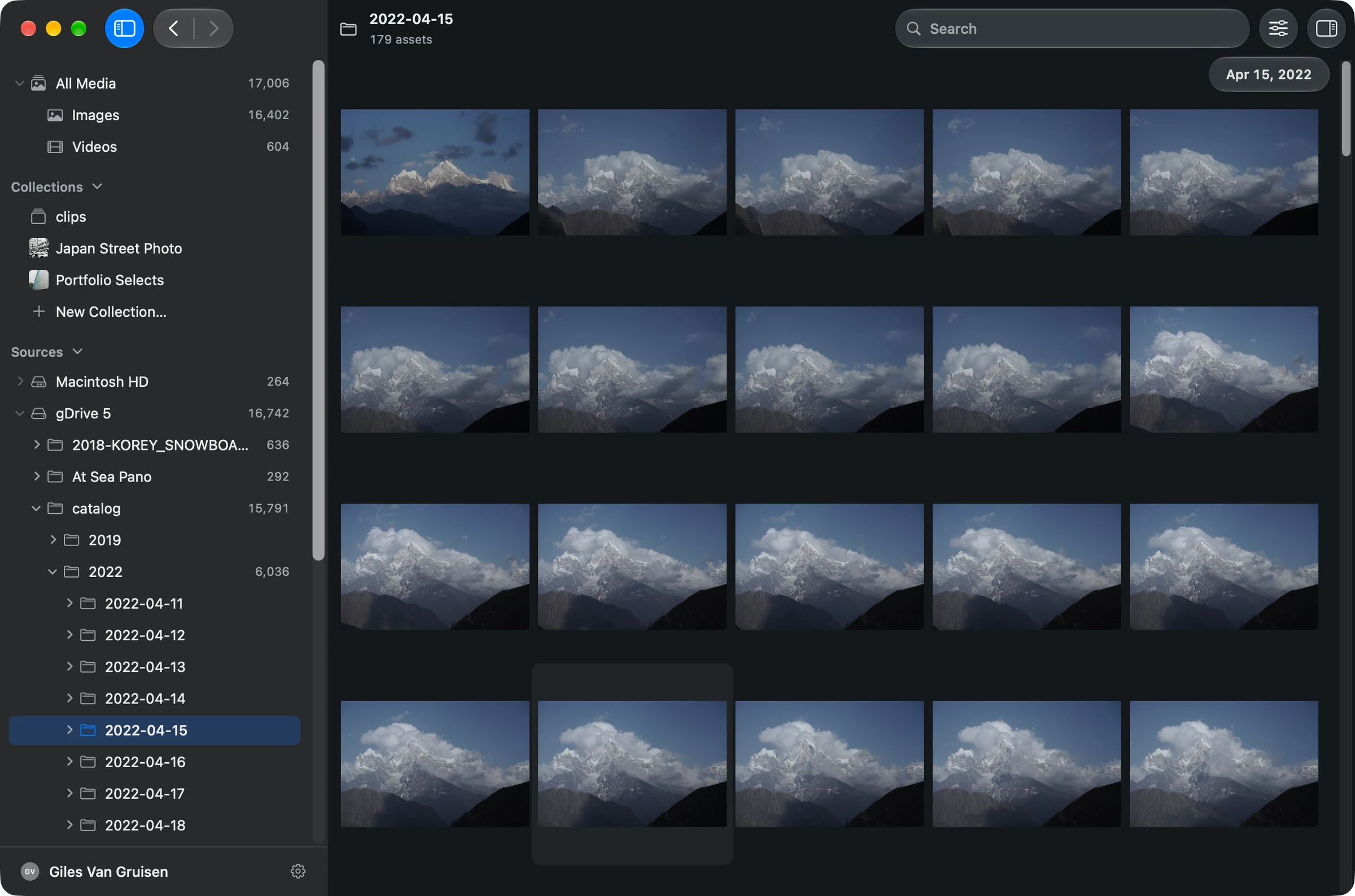
Search photos, people and video in one private Mac library. Gather what you need for a client portfolio, pitch or edit.
Why Grain fits
You want photo, people and video search across your Mac archive, plus collections and agent access for creative projects.
Specific Mylio Photos workflows to compare
Check Mylio’s synchronization across Windows, Android, iOS and macOS if your library must be available on that particular mix of devices.
Photos, people and video. One searchable library.
- Find people in your photos. Name a face once, review the matches, then choose a person from search to browse their photos. Beta.
- Search footage and dialogue. Find videos by description. Every recording is transcribed on your Mac, so you can search what was said and jump to the moment. Beta.
- Find duplicates. Use duplicate detection to identify repeated files in your library.
- Put the results to work. Gather selections in collections, open originals in your editor, or connect compatible agents through Grain’s MCP server and CLI.
The differences that matter
People and Clips are in beta in Grain Photo 1.3.
| Your workflow | Grain Photo for Mac | Mylio Photos |
|---|---|---|
| Main job | One searchable library across your drives, ready for creative projects. | Library consolidation and synchronization across supported devices. [1] |
| Find photos | Find untagged photos by subject or scene; refine with filters. | AI search, face organization, date and location views. [1] |
| Local storage | Private, on-device AI. No media uploads. | Local storage and local AI processing. [1] |
| Phones and computers | Native Mac app, with a one-time purchase. | Mylio supports macOS, Windows, iOS and Android. [1] |
Make the archive useful before reorganizing it
Perhaps the folder system made sense when you created it. Years later, you remember the photograph but not the year, trip name or drive. Grain lets you approach that archive through what is in the picture.
Open the folders you want to search and let Grain analyze their media. Type a description such as “sailing through fog,” look through the results, and reveal an original in Finder. Collections let you gather useful finds without rearranging the source folders.
Search on your Mac, or connect a family library?
Mylio’s cross-device and family-library features matter when the job is keeping photos available across phones and computers. Mylio can also retain an existing folder structure; keeping files locally is not unique to Grain.
Grain combines photo, people and video search with collections and agent access for creative projects. If you also need synchronization across Windows and Android devices, compare Mylio’s support for that setup. Grain Studio is a separate offering from the $49 Mac app. [1]
Try it on a folder you know
- Start with one folder already available on your Mac or a connected drive.
- Search for subjects across that folder after analysis completes.
- Decide whether your remaining problem is finding images or synchronizing devices.
See the walkthrough: get started, search by description, or search an external drive.
Before you choose
Will Grain migrate my Mylio library?
This is not a Mylio migration tool. Test Grain against accessible original media folders. Do not assume Mylio albums, face identities, sync rules or other library-specific information will transfer.
Is local search the same as a backup?
No. Grain’s searchable index is not a replacement for your original files or a backup. Keep your archive backed up separately, and reconnect a drive when you need its originals.
Put your archive to work.
Find the people, photos and footage for your next project. Bring the results into your editing and agent workflows.
7-day trial · Apple silicon · macOS 13 or later
Built-in search runs on your Mac. Optional connections to external AI assistants have their own data handling.
Sources & scope
Written by Grain. Competitor details checked against official documentation on . This is a workflow comparison, not an independent review or a speed or accuracy benchmark. Features and plans can change.
People and Clips are in beta in Grain Photo for Mac. Automatic transcription runs on macOS 26; the rest of Grain runs on macOS 13 or later.